VPN keeps turning off?
It's not an app issue. Your phone's system closes VPN in the background.
Why is this happening and how to fix it?
What's happening
Android closes background apps to save battery — even ones that barely use any. Tuman VPN gets caught in the same net.
What to do
Add Tuman VPN to battery exceptions. It won't affect battery life — VPN already uses minimum power.
Asus
May stop VPN
Screenshots may look different on your version of the system.
Steps
1
Open PowerMaster
Go to: Mobile Manager → PowerMaster
PowerMaster is where your phone decides which background apps to close.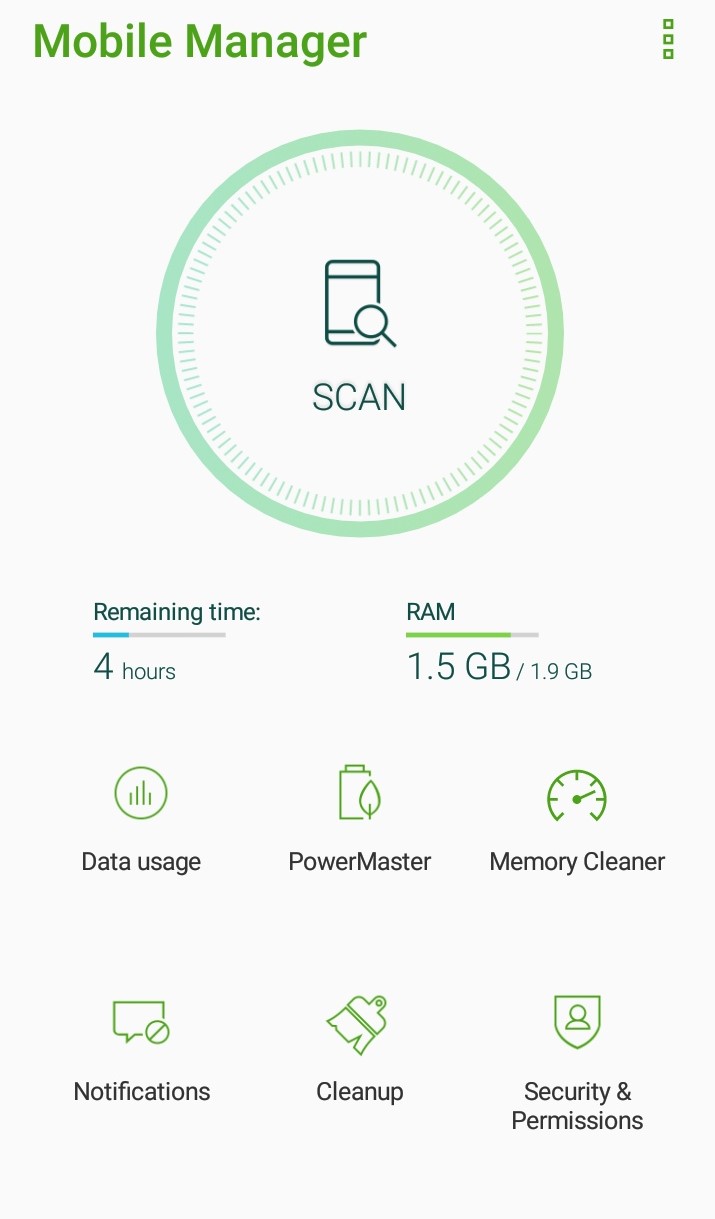
PowerMaster is where your phone decides which background apps to close.
2
Turn off clean up in suspend
In PowerMaster → Settings → uncheck "Clean up in suspend"
This stops your phone from wiping the VPN when the screen turns off.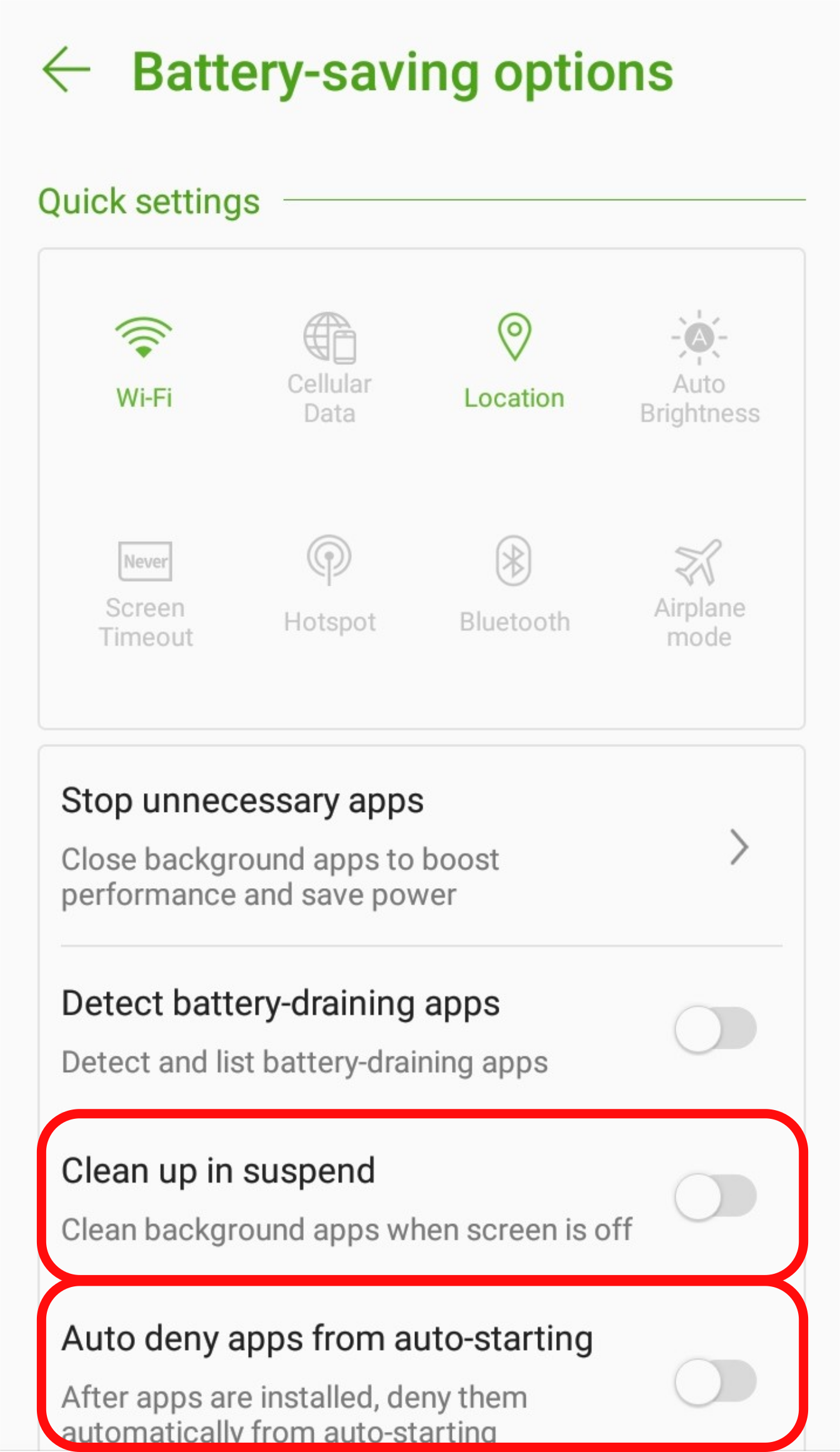
This stops your phone from wiping the VPN when the screen turns off.
3
Allow auto starting
In PowerMaster → Settings → uncheck "Auto-deny apps from auto starting"
This lets the VPN come back on by itself after you restart your phone.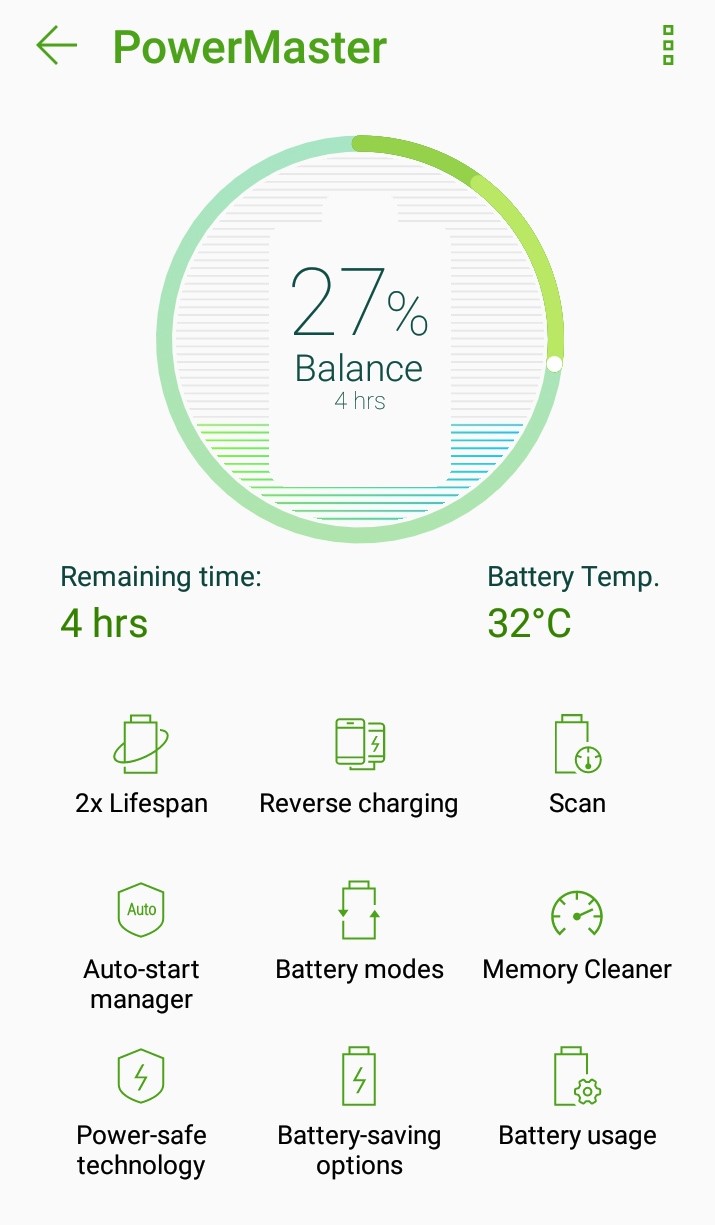
This lets the VPN come back on by itself after you restart your phone.
Always-on VPN
For maximum stability, also enable Always-on VPN — it keeps the connection live even if the app briefly restarts.Settings → Network → VPN → Tuman VPN → Always-on VPN
Still doesn't help? Our support team will get you sorted.
Contact us